Refresh a product scene
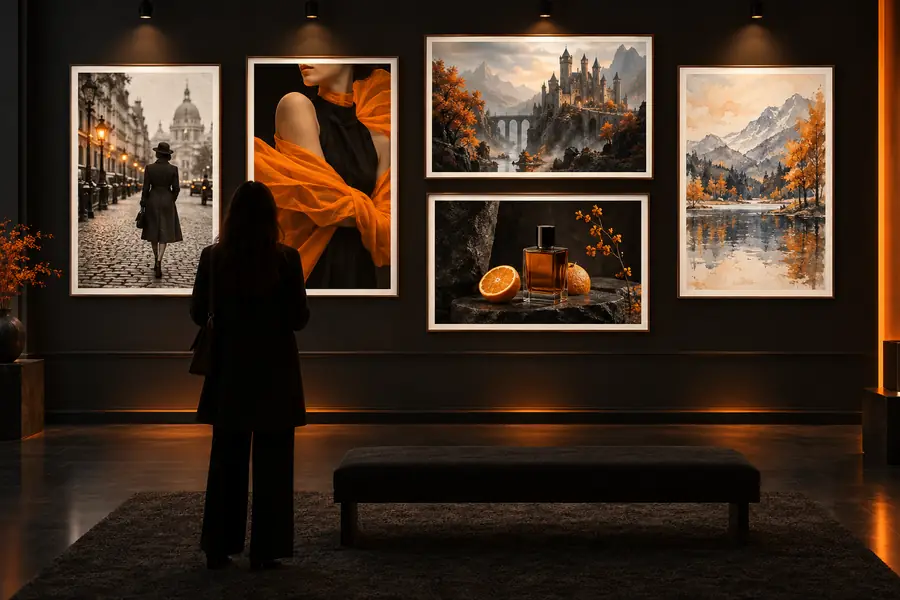
Upload a product photo and ask for a new setting, such as a warm studio, modern kitchen, or outdoor campaign scene. Keep the product shape, label placement, and camera angle in the prompt so the output remains useful.
Practical visual guide
Image to image examples online make it easier to understand how a reference picture can guide a new result. Use the examples below to choose a workflow, write a focused prompt, and judge the output realistically.
Choose a direction
Blank-canvas generation can miss the proportions, subject, or visual language you already need. A reference image gives the model a useful starting point while your prompt defines the intended change.
See how reference images can preserve believable materials, lighting, and proportions.
Explore a stylized workflow for moving from a real image toward an illustrated anime look.
Compare how a detailed source can be simplified into a deliberate pixel-art composition.
Three useful workflows
The same basic process can support very different jobs. Start with a clear source, describe only the changes that matter, and inspect the result against the original goal.
Upload a product photo and ask for a new setting, such as a warm studio, modern kitchen, or outdoor campaign scene. Keep the product shape, label placement, and camera angle in the prompt so the output remains useful.
Use a room photo as the structural reference, then request a style change such as quiet Scandinavian, colorful mid-century, or industrial. Mention which walls, furniture pieces, and architectural details must stay recognizable.
Begin with a pose, costume, or rough sketch and describe the intended world, materials, lighting, and mood. Generate several directions, then select one image as the next reference for more consistent iteration.
At a glance
A strong result is not only attractive; it should also answer the original scenario. Check the subject, structure, requested change, and small details before treating an output as finished.
Compare the result
Use this side-by-side check before sharing an image publicly or using it in a client workflow. The right side is a goal for evaluation, not a guarantee that every detail will remain unchanged.
Source image
Shows the original person, object, room, or sketch.
Transformed output
Should preserve the intended subject unless a replacement is requested.
Source image
Preserves the reference structure.
Transformed output
Can improve or reinterpret the structure.
Source image
Defines what needs to change.
Transformed output
Should make the requested setting, material, or style change visible.
Source image
May include readable labels, fingers, text, or fine edges.
Transformed output
Can distort tiny details and should be checked closely.
Source image
Makes ownership and permission easier to verify.
Transformed output
Needs a human review before publication.
Source image
Should be shared only with appropriate permission.
Transformed output
Should be reviewed for unintended disclosure.
Know the boundaries
Image-to-image tools are useful for ideation and controlled variations, but they are not a substitute for review. These caveats matter most when an output represents a real person, product, place, or client.
Labels, signs, packaging copy, and small typography can be altered, blurred, or replaced in the generated image.
WorkaroundAdd final text in a design editor and compare every branded element with the approved source.
A transformation may change identity cues, fingers, expressions, or other anatomy even when the pose is preserved.
WorkaroundUse a clear reference, request conservative edits, and inspect people-focused outputs at full size.
Rooms, furniture, products, and repeated objects may gain inconsistent edges, joints, or proportions.
WorkaroundUse the result as a concept draft, then verify measurements and rebuild critical geometry in the appropriate tool.
Uploading a reference does not automatically grant permission to use a person’s likeness, artwork, private space, or trademark.
WorkaroundObtain the needed rights, remove sensitive details, and keep a human approval step before public use.
Make the next variation
Choose a source image with a clear subject, describe the change in plain language, and begin with one controlled variation. The most useful image to image examples online are not random effects; they show how a specific reference solves a specific visual problem.
Scenario FAQ
These answers address common questions behind searches for image to image examples online and help set practical expectations before you begin.
Useful examples show a clear source image, a specific requested change, and an output that can be judged against that goal. Product scene refreshes, room redesigns, and character concept variations are practical starting points because the before-and-after difference is easy to inspect.
Yes, it can help explore backgrounds, lighting directions, and campaign concepts while keeping the product as the reference. Check labels, logos, proportions, and material details carefully because generated outputs may alter them.
It may preserve the broad subject and composition, but exact identity, anatomy, edges, and small details can drift. Use a strong reference, write which features must remain, and review the result before using it publicly.
They can be useful for ideation, mood boards, and draft concepts, but suitability depends on permissions, output quality, and the intended use. Confirm rights for the source image and review privacy, trademarks, readable text, and factual accuracy before publication.